
Hosted
Your own address at yourcompany.entrant.app, your own database schema and your own file store — separate from every other customer's, not a shared table with a filter in front of it. Upgrades, backups and monitoring are ours.
Visitor management for controlled sites
Every visitor signs your agreements before they are through the door, is screened against the lists you keep, and leaves a record that cannot be quietly edited afterwards. Hosted by us, or on a machine in your own reception that sends nothing anywhere.
Hosted or on your premises No trackers on this site Contrast checked on every build
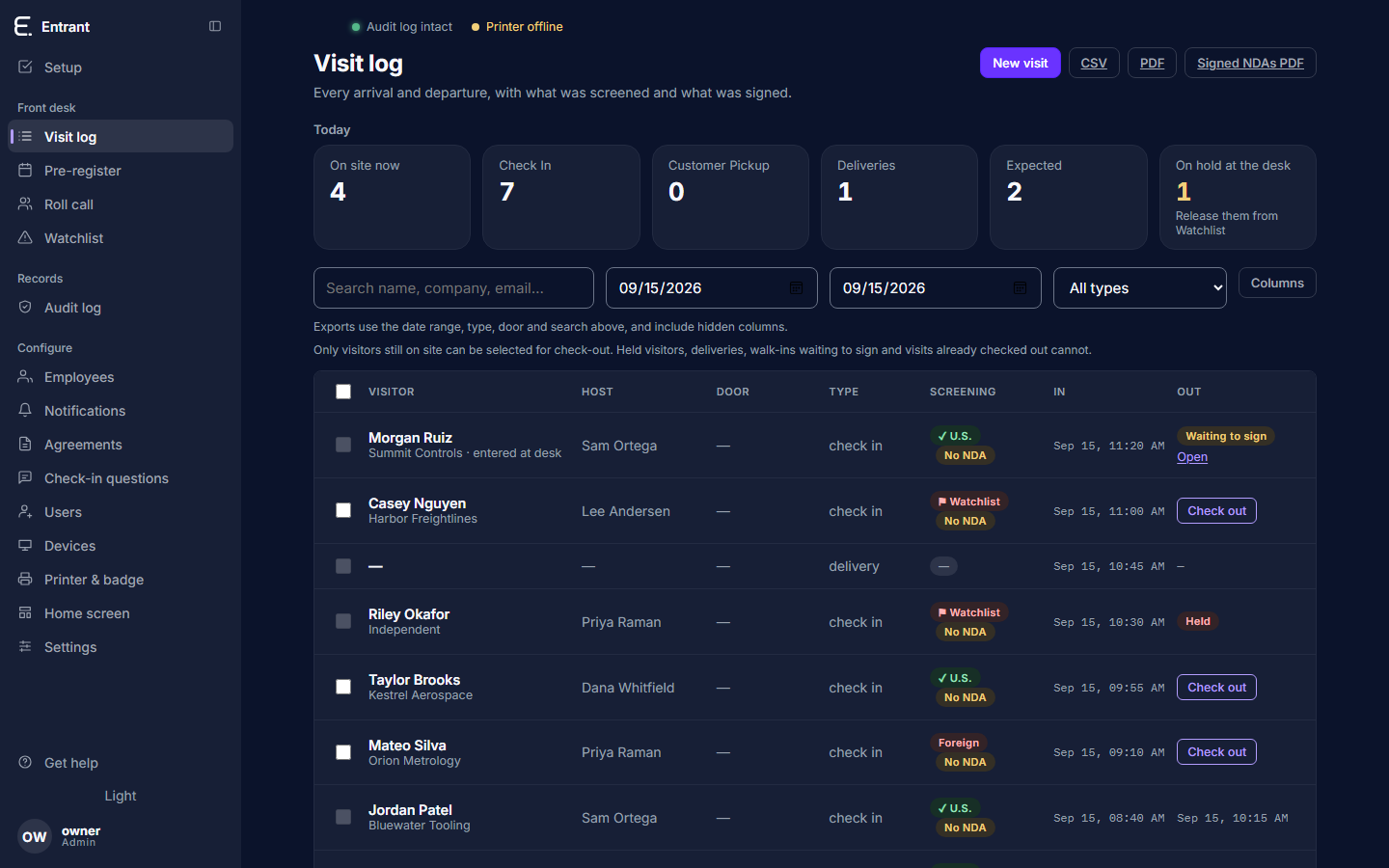
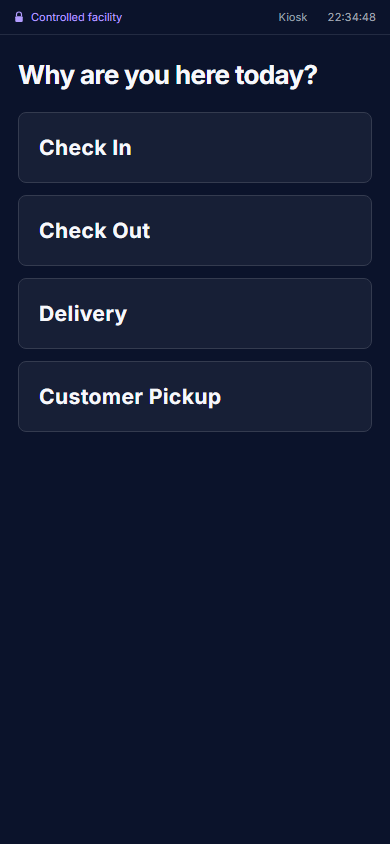
At the door
The same four every time, on the kiosk at reception or on the visitor's own phone, whether the front desk is staffed or not.
A kiosk at reception, or a QR code the visitor scans with their own phone. Someone who has been before is recognised and does not type their company twice.
Checked against your own block list and the U.S. consolidated denied-party list before the visit is even written. Your block list holds them at the desk and emails security; the screen just says someone is coming.
Your NDA and your export-control acknowledgment, in the versions you published, signed on the screen and kept as a PDF with its hash.
A badge that says plainly whether an escort is required, and a message to the host saying who is waiting and where.
The kiosk
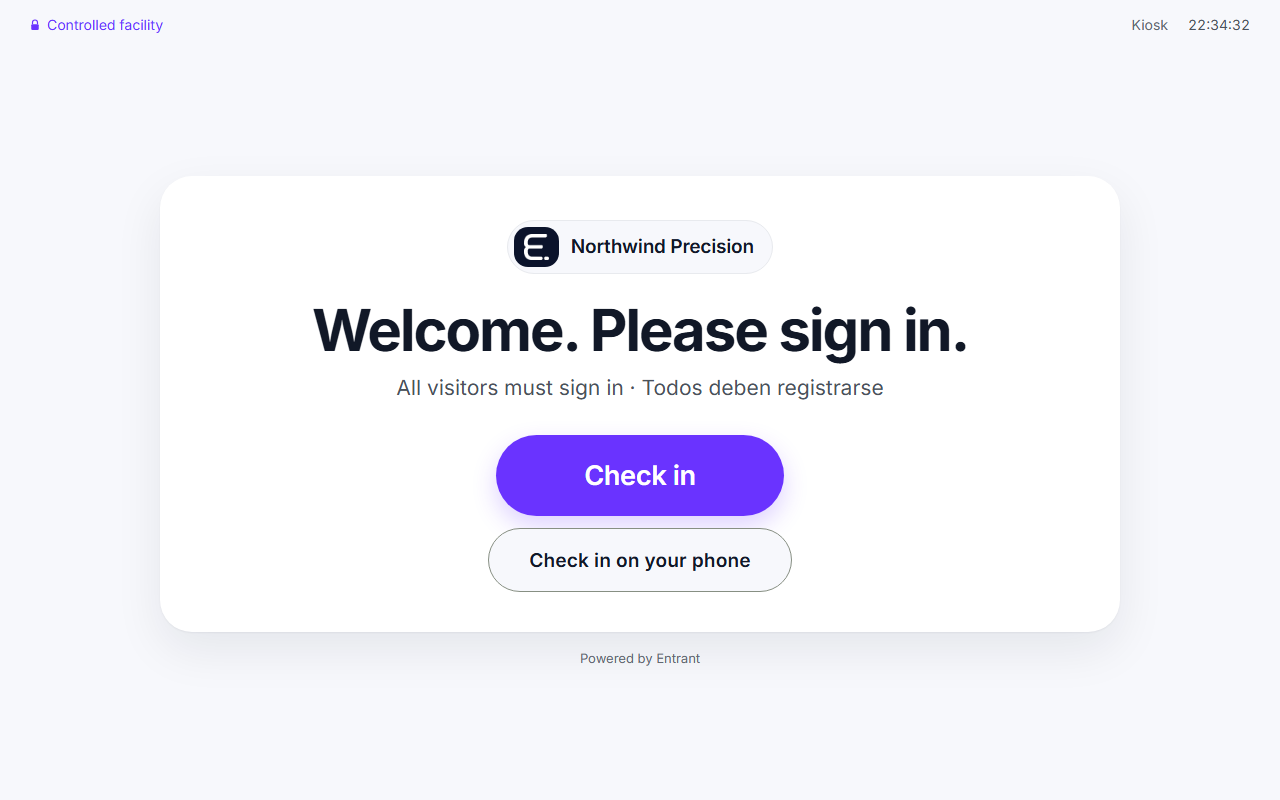
Not a mock-up: these are screenshots of the product, taken by the build that shipped it.
Waiting at reception. One instruction, in the customer's own colours.
The record
Every event — an arrival, a signature, a screening hold released, an export taken, a support engineer looking inside — is appended to a log where each row carries the hash of the row before it. Alter a row and every hash after it stops matching, and the console says so on its own front page rather than waiting for someone to run a script. On the hosted service the account that serves your site cannot update or delete an audit row at all: the database refuses it.
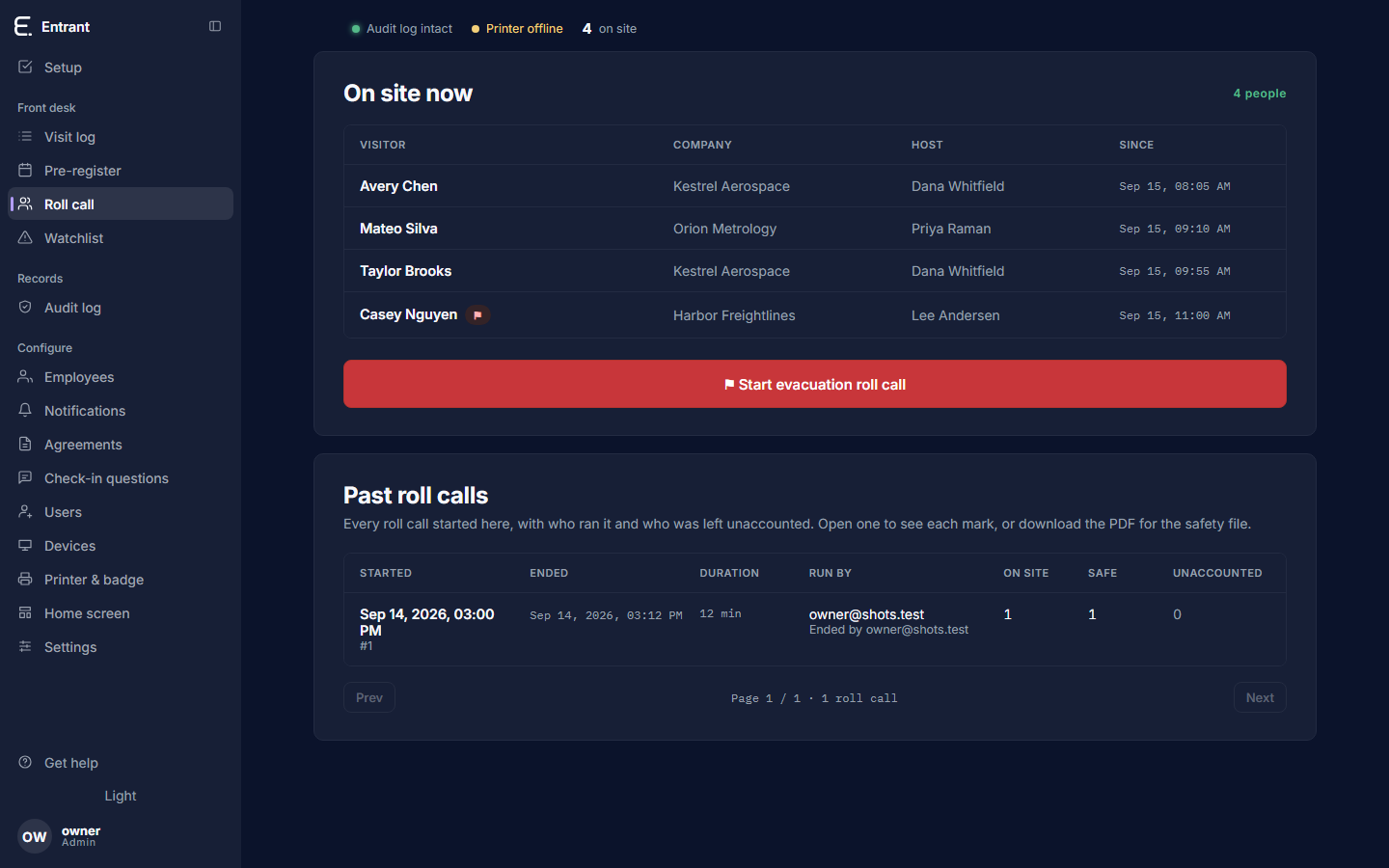
When the alarm goes
It is the same record, so nothing has to be told who is on site: the list is everyone the door let in and has not let out. Wardens mark from their own phones, anyone who arrives while it is open joins it tagged as having arrived during it, and what comes out at the end is a document saying who marked what, and when.
Where it runs
Your own address at yourcompany.entrant.app, your own database schema and your own file store — separate from every other customer's, not a shared table with a filter in front of it. Upgrades, backups and monitoring are ours.
The same product on a machine in your reception. The database and the signed PDFs sit on your disk, under your access control and your backups, and nothing leaves the building. For the sites whose policy says so.
Before it ships
So these run on every build, and a failure stops the release.
Before you sign anything
Including us. Ours are here in writing, so you can hold the answers side by side.
| The question | Entrant |
|---|---|
| Can the record be edited afterwards? | Not without it showing. The log is append-only and hash-chained, and on the hosted service the serving account is refused UPDATE and DELETE on it by the database itself. |
| Can we run it without sending visitor data anywhere? | Yes. The on-premises tier is the same product on your own machine. |
| Is our data separate from other customers'? | Yes — its own database schema and its own file store, reached by a database role that can see only that schema. |
| What happens when your support looks at our data? | It is time-boxed, it needs a reason, and it is written into your audit log, not only ours. |
| What does your website collect about us? | Nothing. No analytics, no cookies, no third-party scripts, no session recording. |
| What do you not do yet? | Single sign-on, a public API, native apps, access-control integrations. Named plainly on the pricing page. |
We set the first sites up by hand: a walk through your lobby's actual problem, your agreements loaded, and a kiosk that works on the day it arrives.